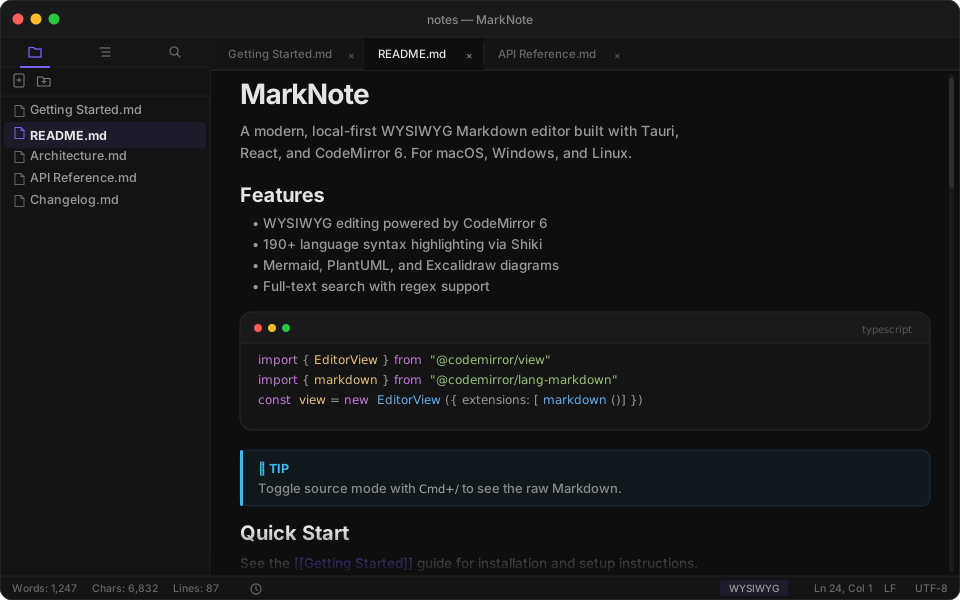
Powerful features for writers, developers, and knowledge workers.
Core Features
✏️
WYSIWYG Editing
Powered by CodeMirror 6. Toggle source mode with Cmd+/. No split pane needed.
</>
Code Blocks
190+ languages via Shiki. Copy button, line numbers, and code card image export.
🔍
Global Search
Full-text search across all notes. Supports regex, case-sensitive, and whole word
matching.
📁
File Tree & Tabs
Workspace file management with drag-and-drop, multi-tab editing, and quick open (Cmd+P).
📑
Outline & TOC
Auto-generated sidebar outline from headings. Insert [TOC] for inline table of contents.
⌨️
Command Palette
Cmd+Shift+P to fuzzy search all commands, file operations, and format actions.
💾
Auto-save & Recovery
Configurable auto-save with debounce or interval mode. Crash recovery for unsaved work.
💬
Callouts & Front Matter
Styled callout boxes with > [!type] syntax. Collapsible YAML front matter support.
🔗
Wiki Links
[[Link]] syntax for connecting notes. Inline tags with #tag syntax.
📊
Diagrams
Mermaid, PlantUML, Flowchart.js, and Sequence diagrams rendered inline.
📄
Export
PDF with page size and margin control, standalone HTML, DOCX, and slide image export.
🎨
Custom Themes
Import custom CSS themes for full control over the editor appearance.
Pro Features
📊
Advanced Diagrams
Pro
Excalidraw whiteboard, Nomnoml, Vega-Lite charts, and Markmap mind maps.
∑
Math (KaTeX)
Pro
Inline $...$ and block $$...$$ LaTeX math rendering powered by KaTeX.
🕸️
Knowledge Panels
Pro
Backlinks, tags, interactive graph view, and note templates — all in the sidebar.
🎬
Presentation Mode
Pro
Split your Markdown with --- to create slides. Full keyboard navigation.